 Vertex Digital Management
Vertex Connect / Product details
Bank Feeds
From bank activity to reviewed entries.
Bring bank and card activity together through Plaid or spreadsheets. Review matches, apply rules, complete the coding, and send prepared entries to Rent Manager.
1. Bring activity in
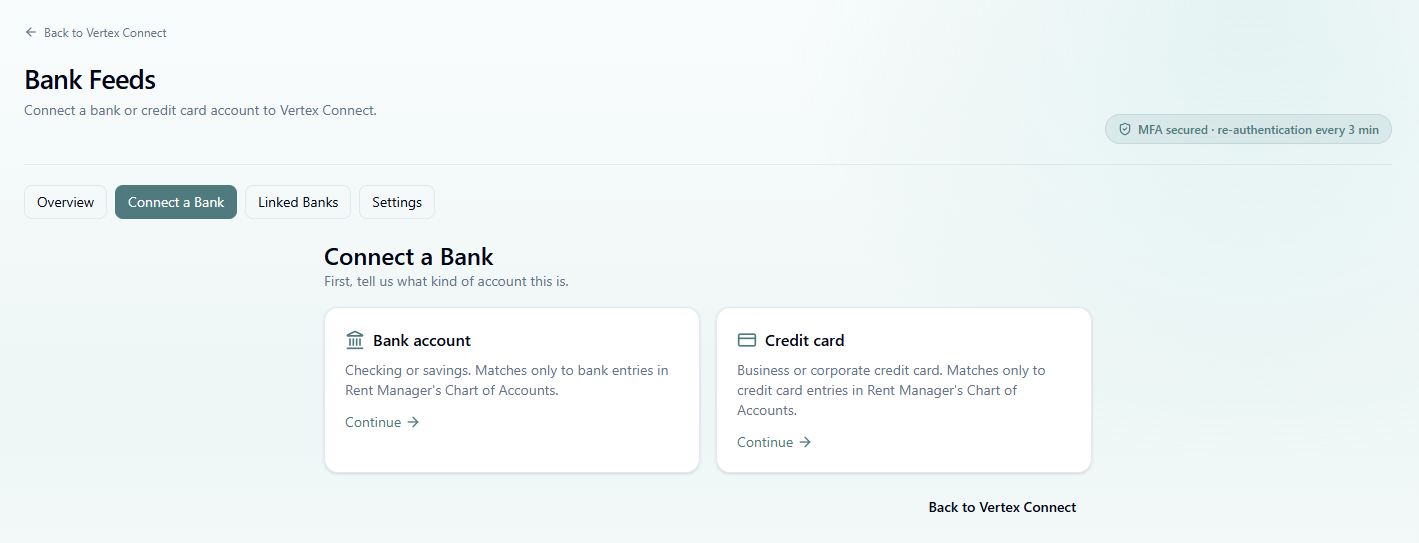
Connect bank or credit card accounts through Plaid, or add activity from Excel / CSV statements.
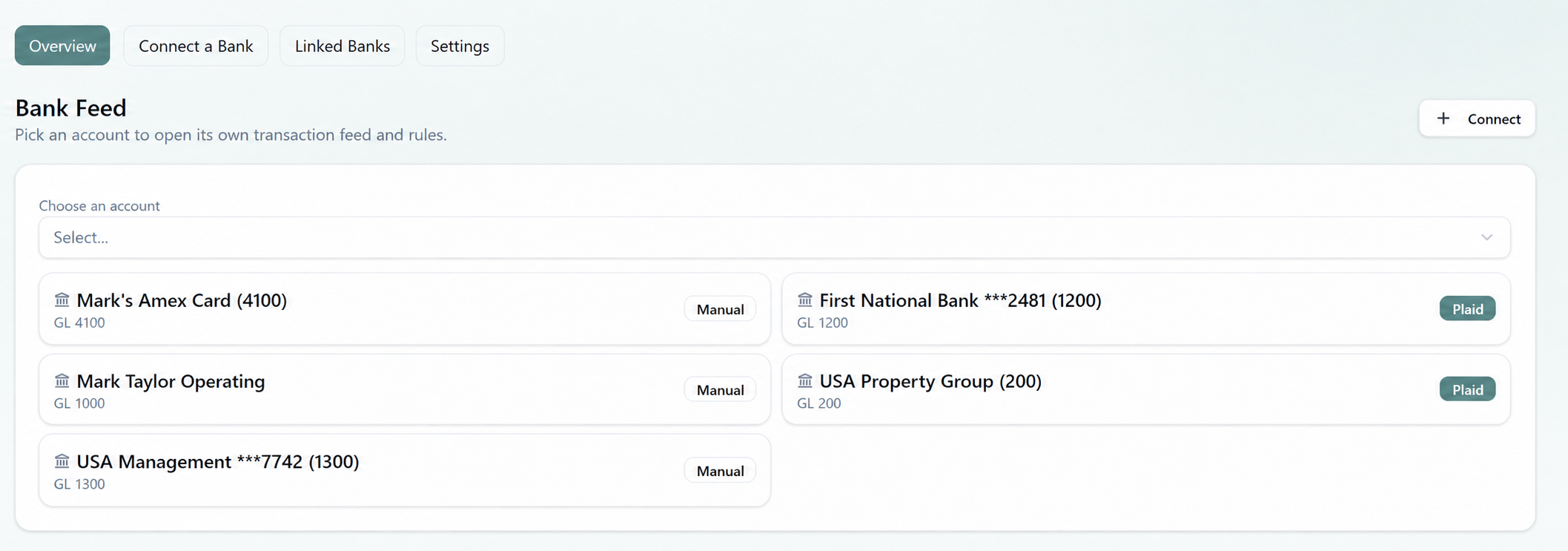
2. Choose the account
Keep each account's transaction feed and rules together, with its Rent Manager chart-of-accounts connection.
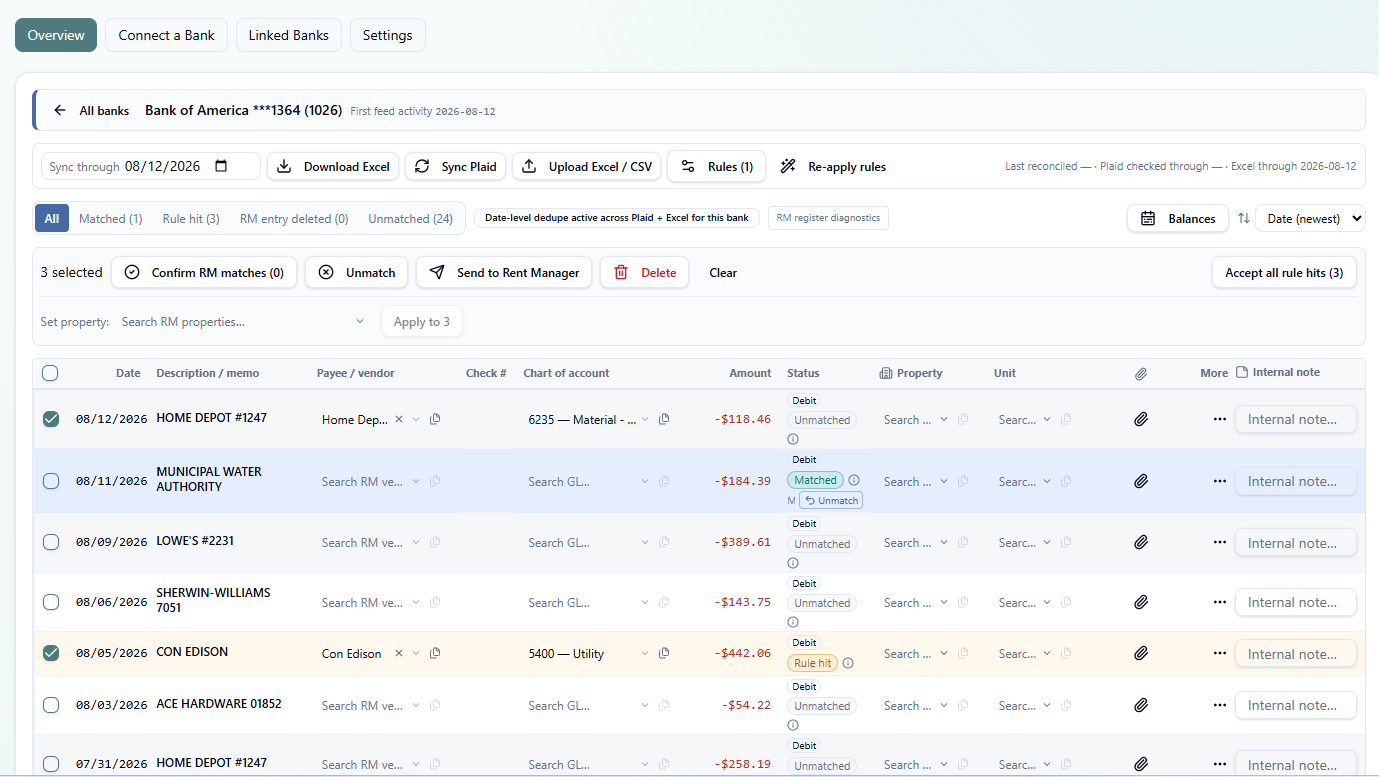
3. Review, prepare and send
Review matches, use description rules, assign vendor, GL, property and unit, and send a prepared group to Rent Manager.
Capabilities
Plaid and spreadsheet input
Use connected bank and card activity alongside Excel / CSV imports in the same spreadsheet-style workflow.
Download Excel
Export the feed to review it, share it, or keep an outside working copy.
Transaction matching
Compare incoming activity with Rent Manager records while keeping the source details and entry fields together.
Reconciliation awareness
Use reconciliation information and duplicate checks to help avoid processing activity that has already been handled.
Description rules
Set a vendor and chart of account for a description rule so matching activity can reuse those selections.
Bulk entry and copy/paste
Repeat vendor, GL, property and unit assignments across similar selected transactions.
Multi-line transactions
Prepare detailed, multi-line entries while keeping the original bank activity visible.
Apply activity to bills
Use the bill-payment workflow to apply a bank transaction to a bill in Rent Manager.
Deposit recording
Work with undeposited funds or other deposit entries while retaining the source date, amount and bank details.
Completed activity
Completed activity leaves the active feed so your team can focus on what remains.
Controlled bulk sending
Review selected transactions and send the prepared group to Rent Manager in one controlled step.